

The Executive FUNction Quick Start Guide
No theory. No overthinking. Just the simplest way to start using the Executive FUNction system today, step by step.
If you don’t want to read everything…
and you just want to start—this is for you.
No theory. No overthinking.
Just what to do, step by step.
Step 1: Get it out of your head
Before you try to organize anything:
Open your journal.
Write down everything.
Not just tasks—also:
- things you’re worried about
- things you might forget
- things you should do
- random thoughts that keep interrupting you
Keep going until you feel even slightly less noisy.
That’s your signal to stop.
→ This is “All the Things.”
Step 2: Choose just three
Now look at what you wrote.
Don’t optimize it. Don’t analyze it.
Just choose:
- three things
They should be:
- meaningful (not just easy wins)
- doable (today, not someday)
- forward-moving
If you’re stuck between options, pick the ones that would make the day feel “complete enough.”
Write them somewhere visible.
→ This is “Three Things.”
Step 3: Start one (without negotiating with yourself)
This is where most days fall apart.
You know what to do…
and then your brain says:
“Maybe I should just check one thing first.”
So instead of relying on willpower, you remove the decision.
Pick one:
- Set a 5-minute timer
→ you’re not doing the whole task
→ just starting - Roll the die
→ let it choose your next move
→ follow it without debate - Lower the bar
→ open the file
→ write one sentence
→ take one step
No warm-up. No perfect setup.
Just begin.
→ This is “Take Action.”
What to do when you stall (because you will)
Midday hits. Energy drops. Focus drifts.
Instead of restarting your whole system:
Pause and write:
- what you just did
- what’s next
That’s it.
Then continue.
What a full day looks like (realistically)
Morning
- brain dump
- choose three
Midday
- pick one
- use timer or die to start
Afternoon
- go back to your three
- don’t renegotiate everything
End of day
- note what’s done
- capture what’s next
Not perfect.
Just consistent.
If everything feels like too much
Shrink the system.
Don’t do all three steps.
Just:
- write one thing
- do one thing
That still counts.
If you want this to feel easier
This is where the tools come in.
You don’t need them.
But they remove friction in ways your brain will notice immediately.
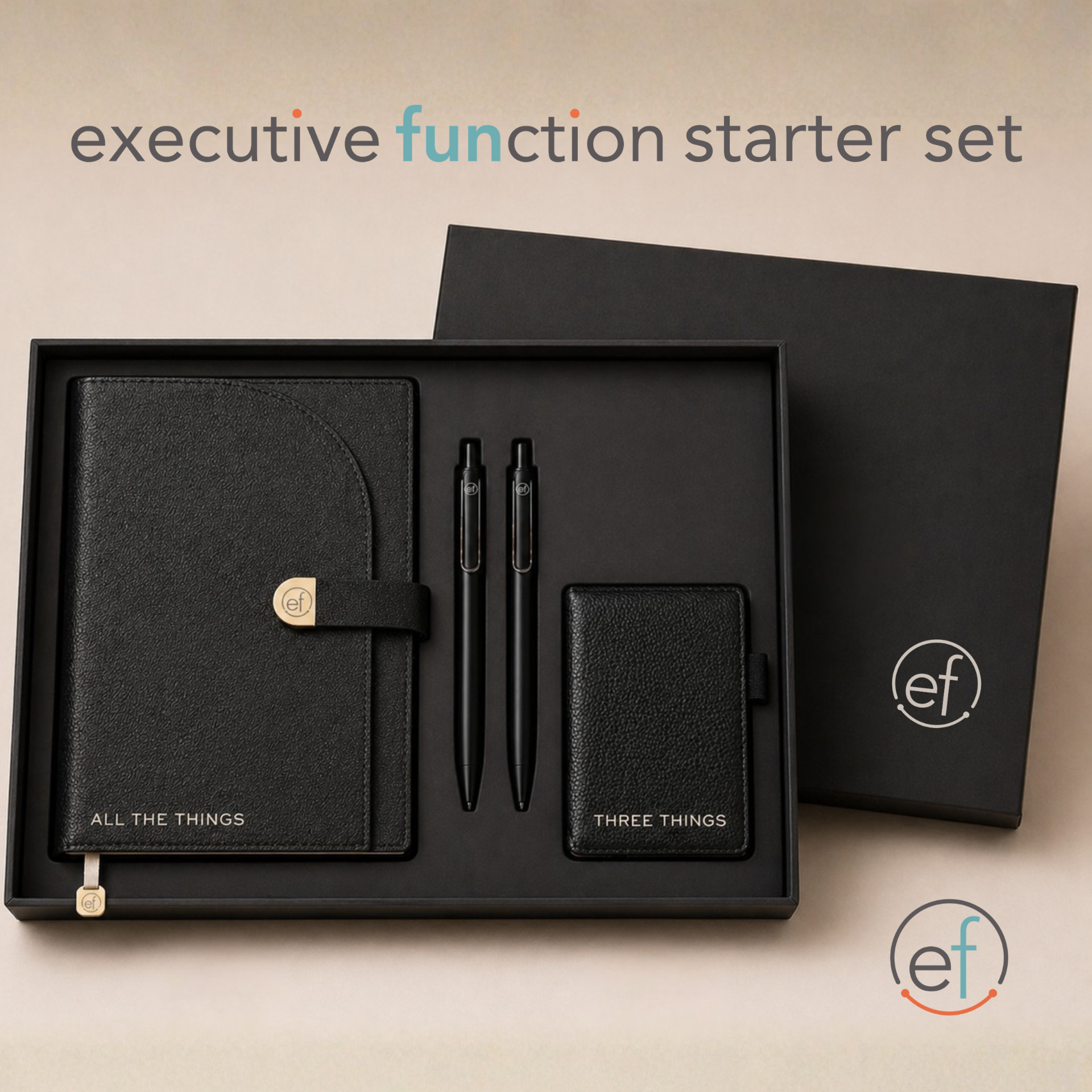
- The journal makes “All the Things” automatic
- The Three Things notepad keeps your focus visible
- The timer removes the “do I feel like starting?” question
- The decision die removes the “what should I do?” loop
They’re not extras.
They’re shortcuts.
Start here
If you’re ready:
→ Start with All the Things (get it out)
→ Move to Three Things (choose what matters)
→ Use the timer or die (start without overthinking)
Or, if you want everything in one place:
→ Build your Executive FUNction kit
The system, simply
All the Things = reduce cognitive load
Three Things = reduce decision load
Take Action = reduce activation friction
Designed for how your mind actually works.
Not how it’s “supposed” to.